












01 · Save
Share it to SavaPlate
In Instagram, TikTok, YouTube, Pinterest or Facebook, tap Share and choose SavaPlate, or paste the post’s link. SavaPlate pulls the ingredients and directions into an editable recipe.
Recipe app for iPhone
SavaPlate is a recipe app that turns the food you discover on social media into recipes you can save, organize, plan and actually cook.
Actual app screens · Example recipe
Save recipes from
Social imports work with supported public posts and are included with Sous Chef and Head Chef.
The short answer
SavaPlate is a recipe app for iPhone that saves recipes from supported social posts, recipe websites, cookbook photos and screenshots, then helps you organize, plan and cook them step by step. It includes an iPad experience and an Apple Watch companion, and its Dish Detective feature suggests recipes to recreate a dish from a photo.
It’s made for the recipes that usually get lost: the reel you saved at lunch, the video you meant to try, the cookbook page you photographed. Each one gets a proper recipe with ingredients, steps and timers, and keeps credit with its source.
How it works
01 · Save
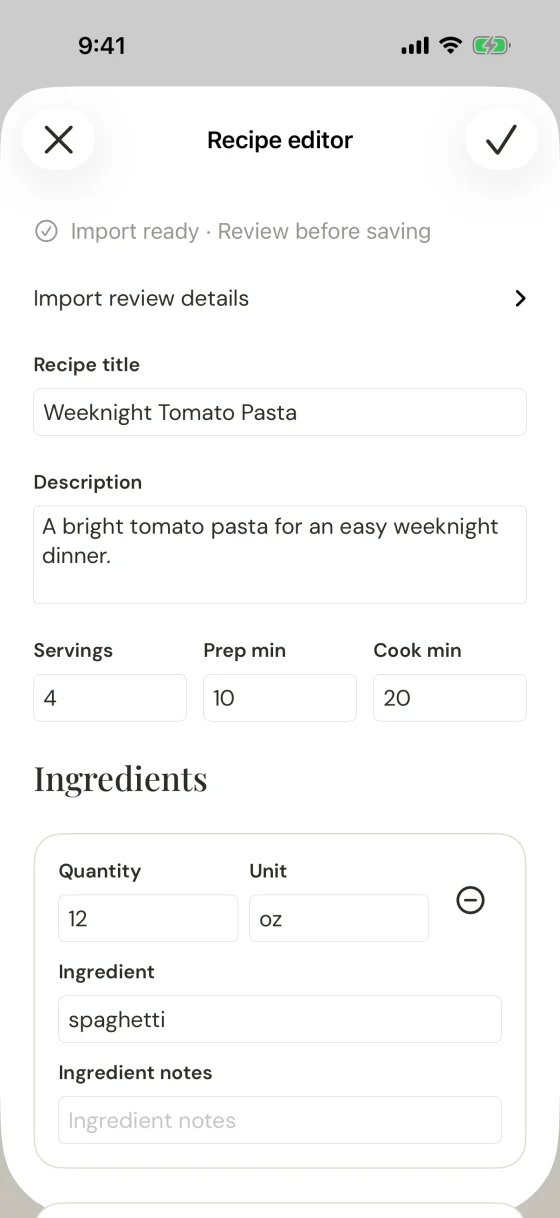
In Instagram, TikTok, YouTube, Pinterest or Facebook, tap Share and choose SavaPlate, or paste the post’s link. SavaPlate pulls the ingredients and directions into an editable recipe.
02 · Review
Review quantities, times and the source before you save. The recipe keeps its source attribution, so credit stays where it belongs.
03 · Cook
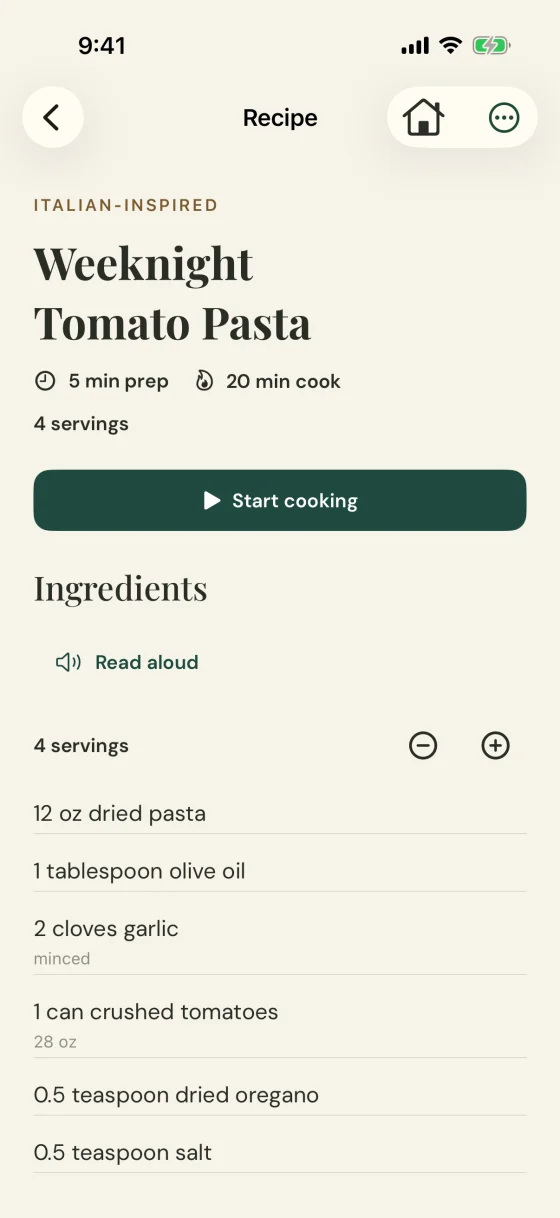
Focus on the current step, see what’s next and run timers as you go. Your iPhone can read each step aloud using an installed voice.
04 · Keep
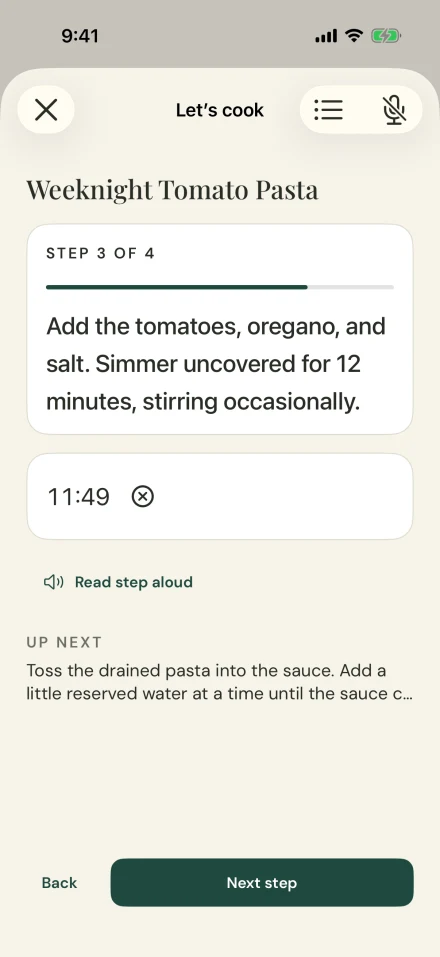
Every recipe lands in one library, with collections, meal plans and grocery lists ready when you are.
Social imports are included with Sous Chef and Head Chef and work with supported public posts. If a platform hides a caption, paste the recipe text instead. Always review imported recipes, especially ingredients and allergens.
A look inside
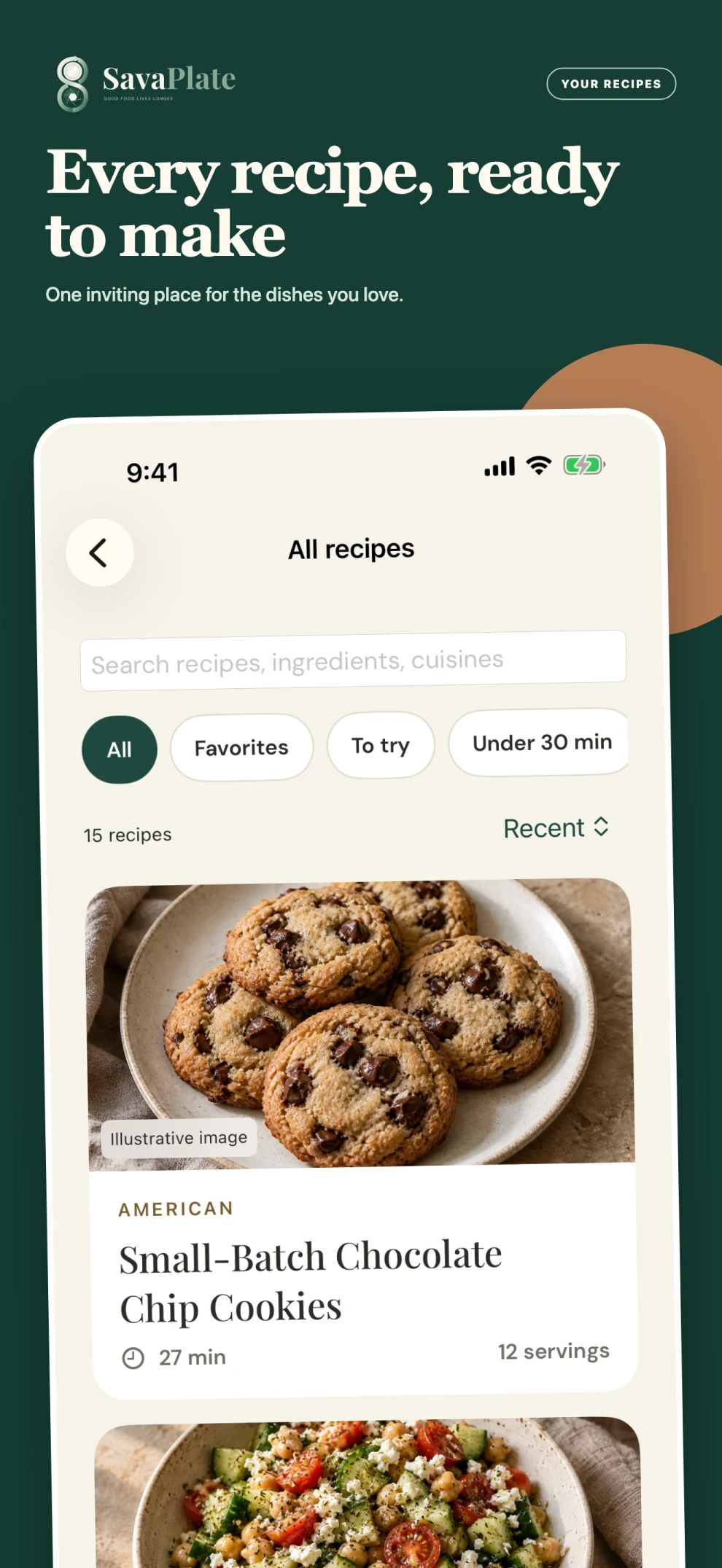
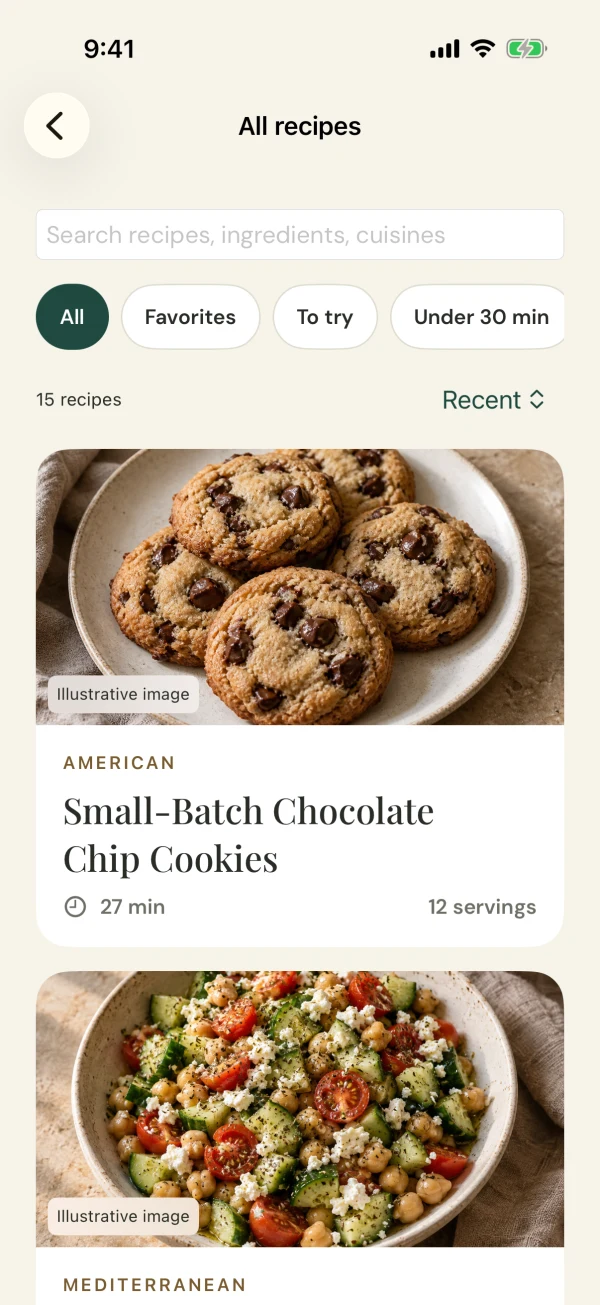
01Your recipes, together
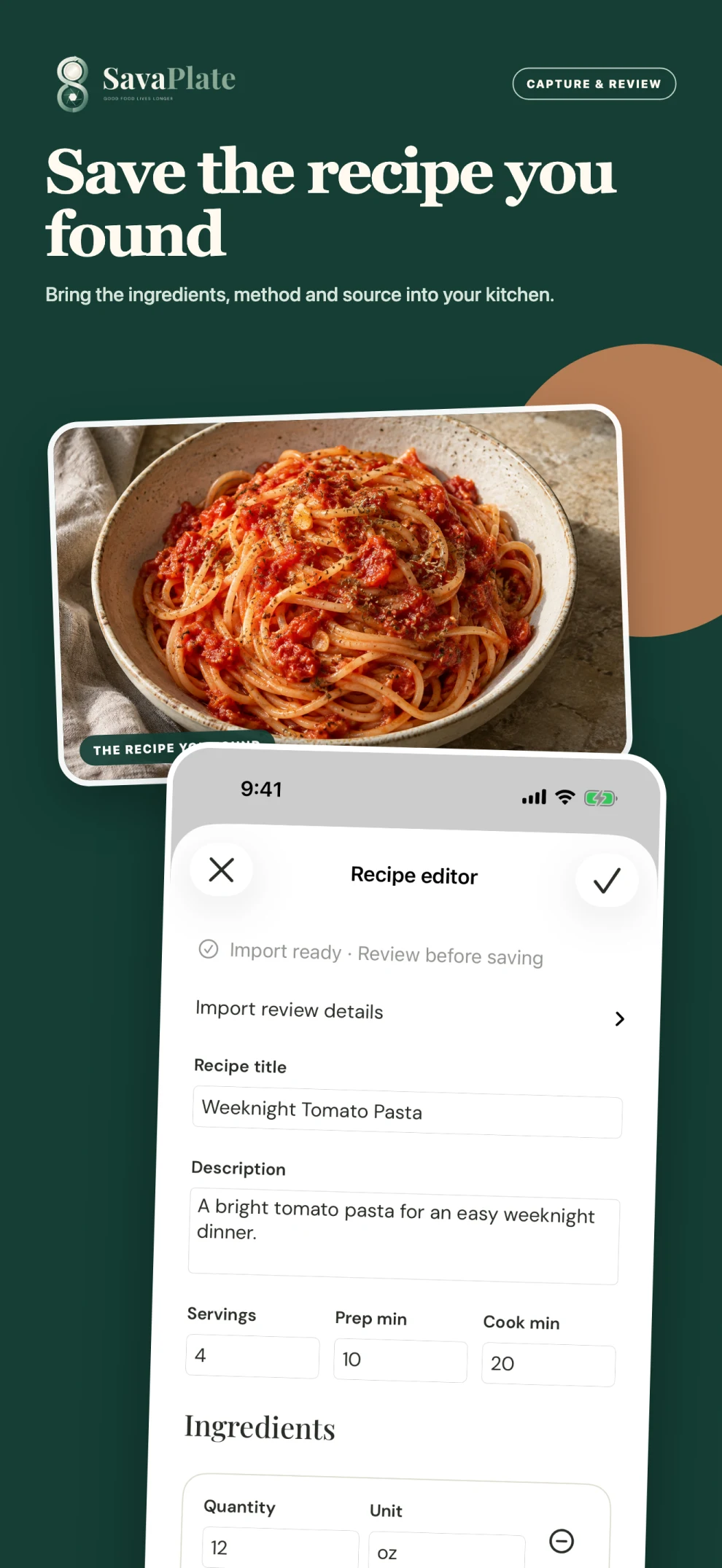
02Save what inspires you
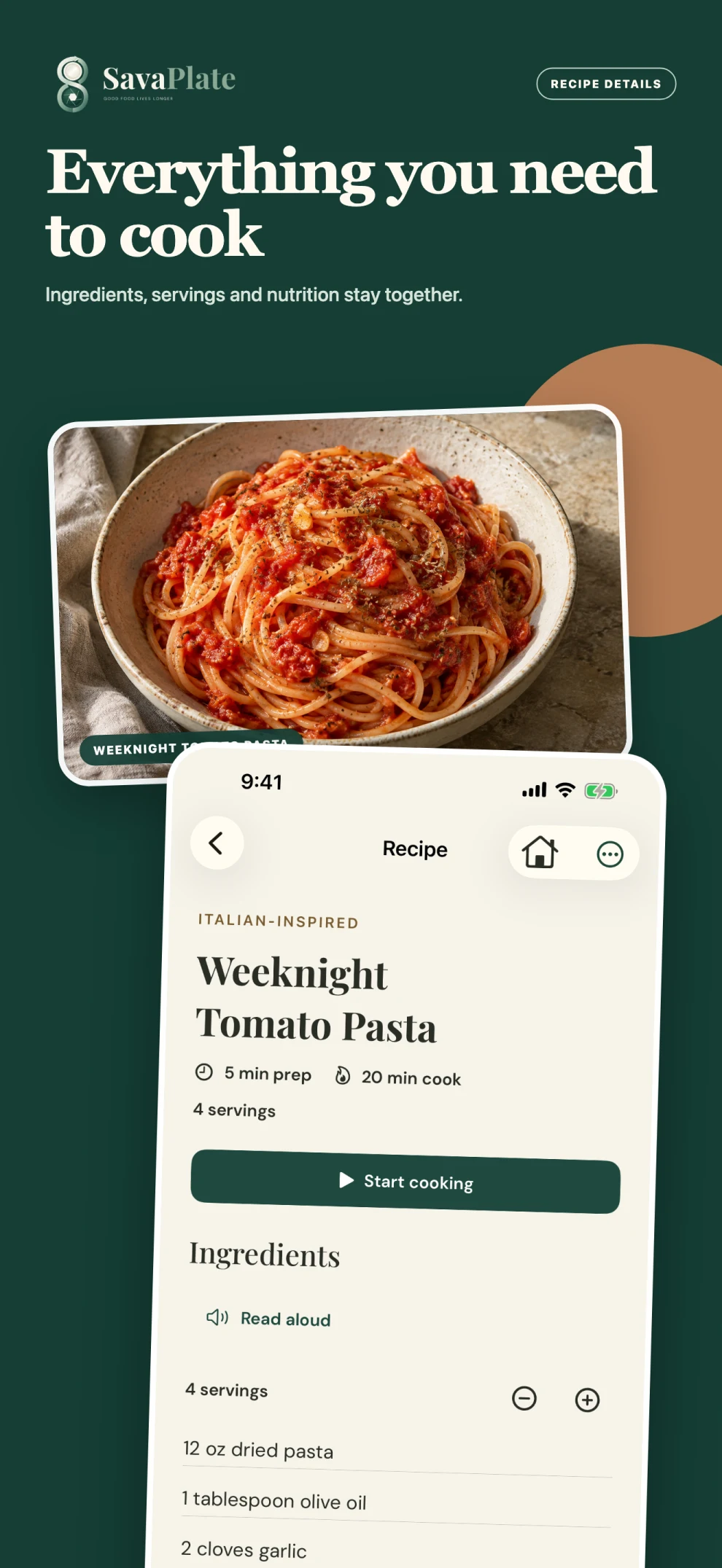
03Everything you need to cook
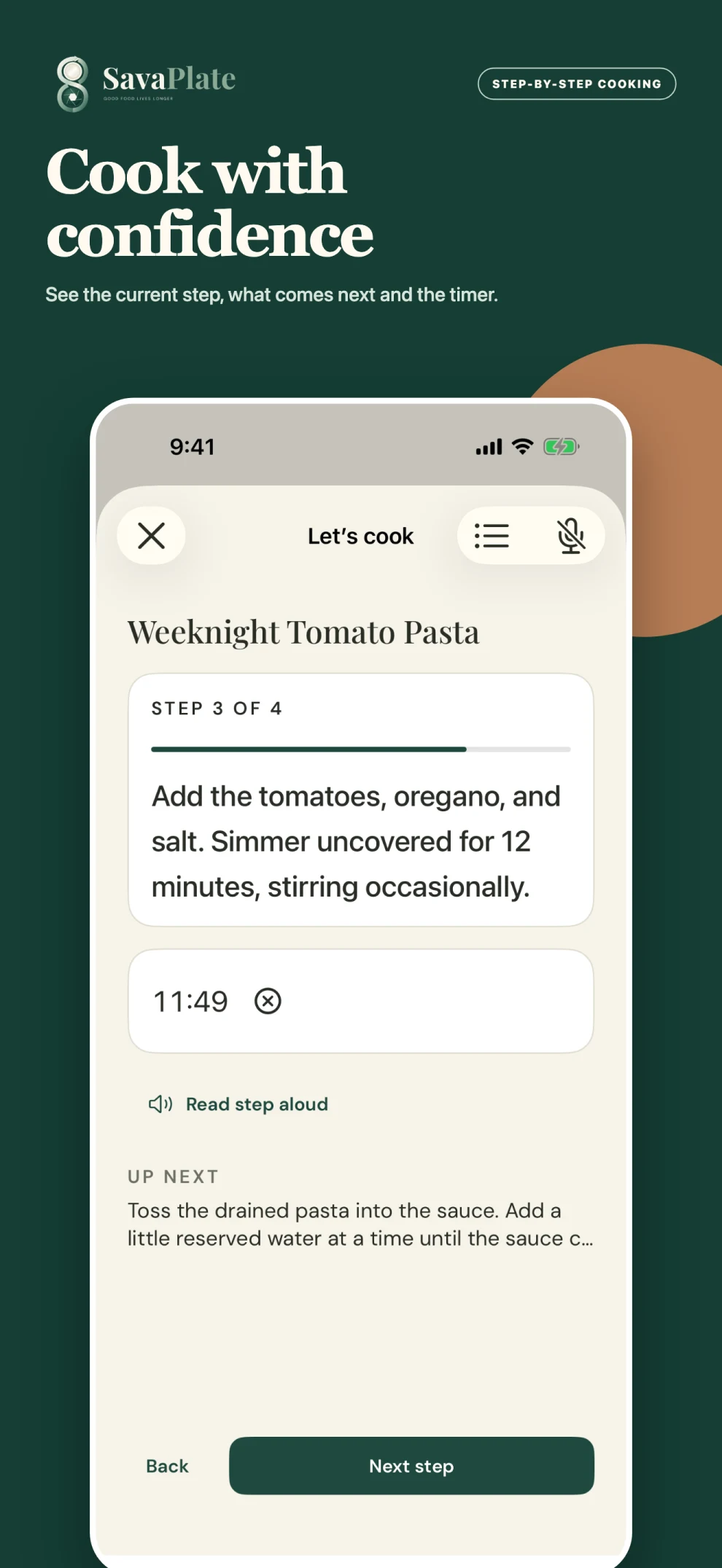
04One step at a time
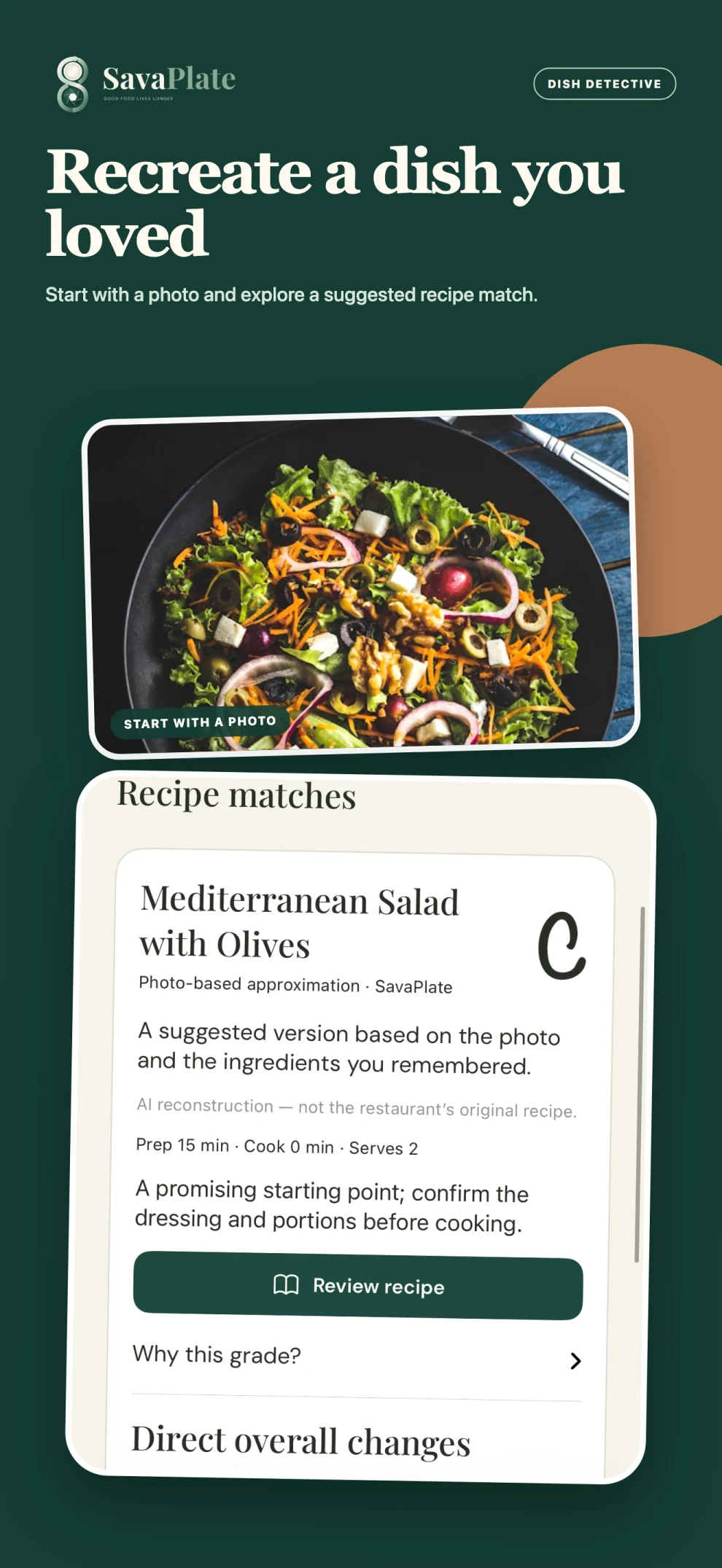
05Follow the clues
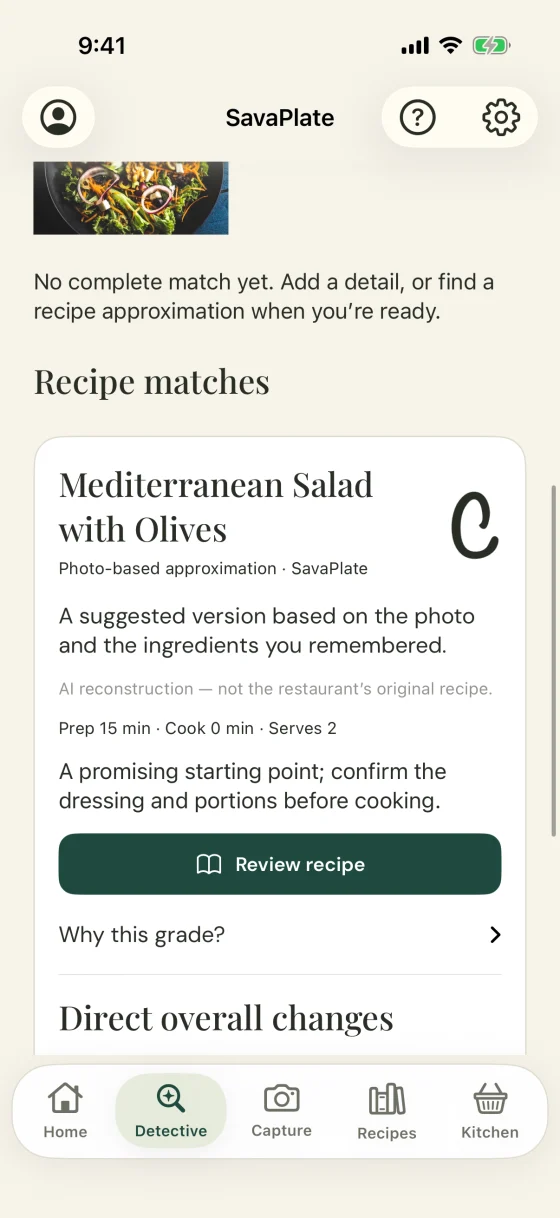
iPhone App Store screenshots. Example recipes and results shown; Dish Detective matches are suggestions.

Clues in, a match out.Example suggestion, not the restaurant’s original recipe.
Meet Dish Detective
Some of your best food discoveries don’t come with a recipe. Snap the plate, add what you remember, and Dish Detective suggests recipes to recreate it at home, with the clues behind each match.
Included with Sous Chef and Head Chef; monthly limits apply. Matches are AI-assisted suggestions, not the restaurant’s original recipe. Don’t rely on a match for allergen safety.
Read the Dish Detective guideAt home in your kitchen
An iPad experience with more room for the recipe, and an Apple Watch companion that keeps the current step and timer close.
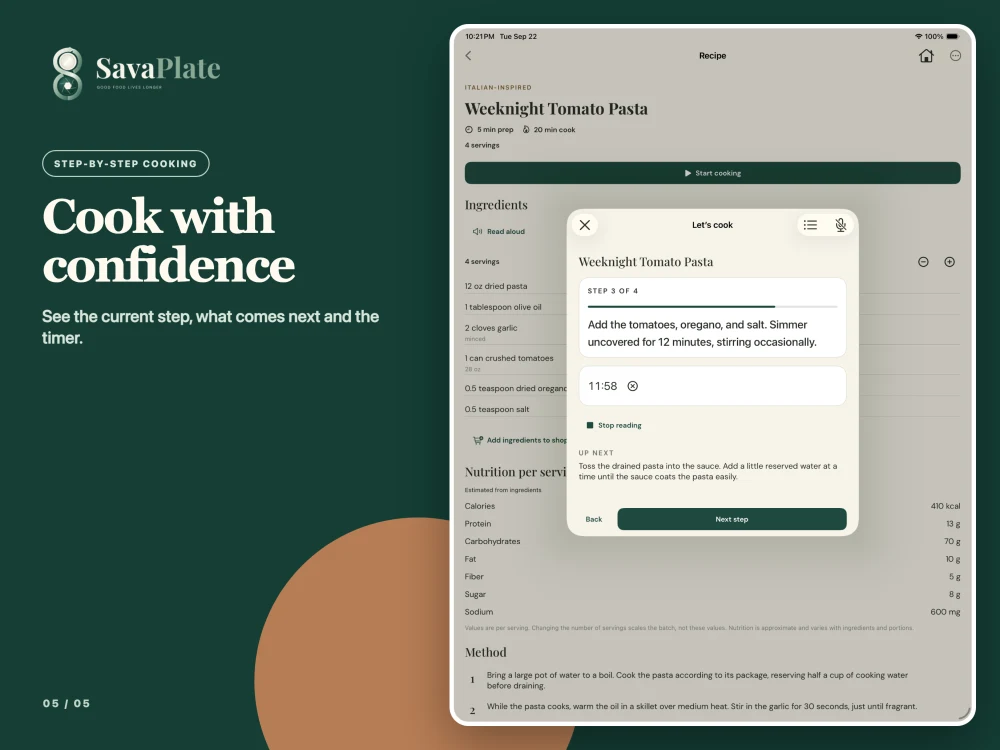
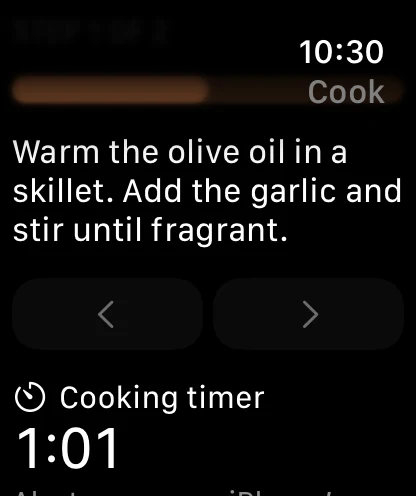
Plan · Shop · Cook
Weeknight wins, family classics and recipes to try, each in its own place.
Bring favorites into your week and give “what’s for dinner?” an answer.
Build a shopping list from the recipes you’re cooking and take it to the store.
Focused steps with built-in timers, plus iPhone narration and an Apple Watch companion.
Explore substitutions and simpler versions with online tools, then check they suit your ingredients and dietary needs.
Your saved cookbook stays available even when online processing is paused.
Plans
Start free. Upgrade when you want more room in the kitchen.
Start your cookbook
Free
Where social imports start
Price shown in the app
For a busy kitchen
Price shown in the app
Plans, features and allowances are subject to change. Current details, limits and prices are shown in the app before you subscribe. Online imports, adaptations and searches share monthly allowances. Subscriptions renew automatically unless cancelled in your App Store account.
Explore membershipsFAQ
Can’t find what you need? Email admin@savaplate.com.
Visit Support Suggest a featureFeature suggestions are public. Send private questions and bug reports to support.
SavaPlate is a recipe app for iPhone that saves recipes from supported social posts, recipe websites, cookbook photos and screenshots, then helps you organize, plan and cook them step by step. It includes an iPad experience and an Apple Watch companion, and its Dish Detective feature suggests recipes to recreate a dish from a photo.
Open the post, tap Share and choose SavaPlate, or copy the link and paste it into SavaPlate. SavaPlate reads the recipe from the caption or description and can analyze supported video and audio when the details are in the clip. Review the ingredients and steps, then save.
Social imports are included with Sous Chef and Head Chef.
Supported public posts from Instagram, TikTok, YouTube, Pinterest and Facebook, plus supported public recipe websites, photos of cookbook pages and screenshots. Private or blocked posts aren’t supported, and some posts need you to paste the caption or add a screenshot. Always review what SavaPlate extracts.
Yes. Home Chef is free, with starter recipes and limited monthly allowances. Sous Chef and Head Chef add social imports, Dish Detective, recipe adaptations and more room. Plans and allowances are subject to change; you’ll see current details and prices in the app before you subscribe.
Home Chef is free. Sous Chef and Head Chef are optional subscriptions; current prices and billing options are shown in the app before you subscribe. Subscriptions renew automatically unless you cancel in your App Store account.
Start with a photo of a dish, add optional restaurant or menu details, and refine what you remember about its ingredients and flavors. Dish Detective suggests recipe matches and explains the clues behind them. It helps you find a way to recreate the dish; it doesn’t promise a restaurant’s exact or secret recipe. It’s included with Sous Chef and Head Chef, subject to monthly limits.
Yes. The import review includes the recipe’s source, and imported recipes are saved with source attribution so you can see where each one came from.
Yes. SavaPlate includes an iPad experience with more room for the recipe, and an Apple Watch companion that keeps the current cooking step and timer close at hand.
Not yet. SavaPlate is available on the Apple App Store. Android is planned for a later release; we haven’t announced a date. To hear when it’s available, join the Android waitlist by email.
Private recipe photos and personal notes are not published. When you use online recipe tools, the content needed for that request is sent to processing providers. If you allow online processing, public-source recipe facts may be reused with attribution. Read our Privacy Policy for details and your choices.
Yes. In SavaPlate, open Settings → Your Data, or use our account and data deletion page to request deletion without the app. Deleting your account doesn’t cancel an App Store subscription; manage that in your Apple account.
SavaPlate is operated by MagnoliaLex LLC. For help, email admin@savaplate.com or visit Support.
Good food lives longer
SavaPlate is on the App Store for iPhone and iPad, with an Apple Watch companion. Android is on the menu next; we haven’t announced a date.
Join the Android waitlist