STEP-BY-STEP COOKING
Cook from saved recipes with steps, timers & narration
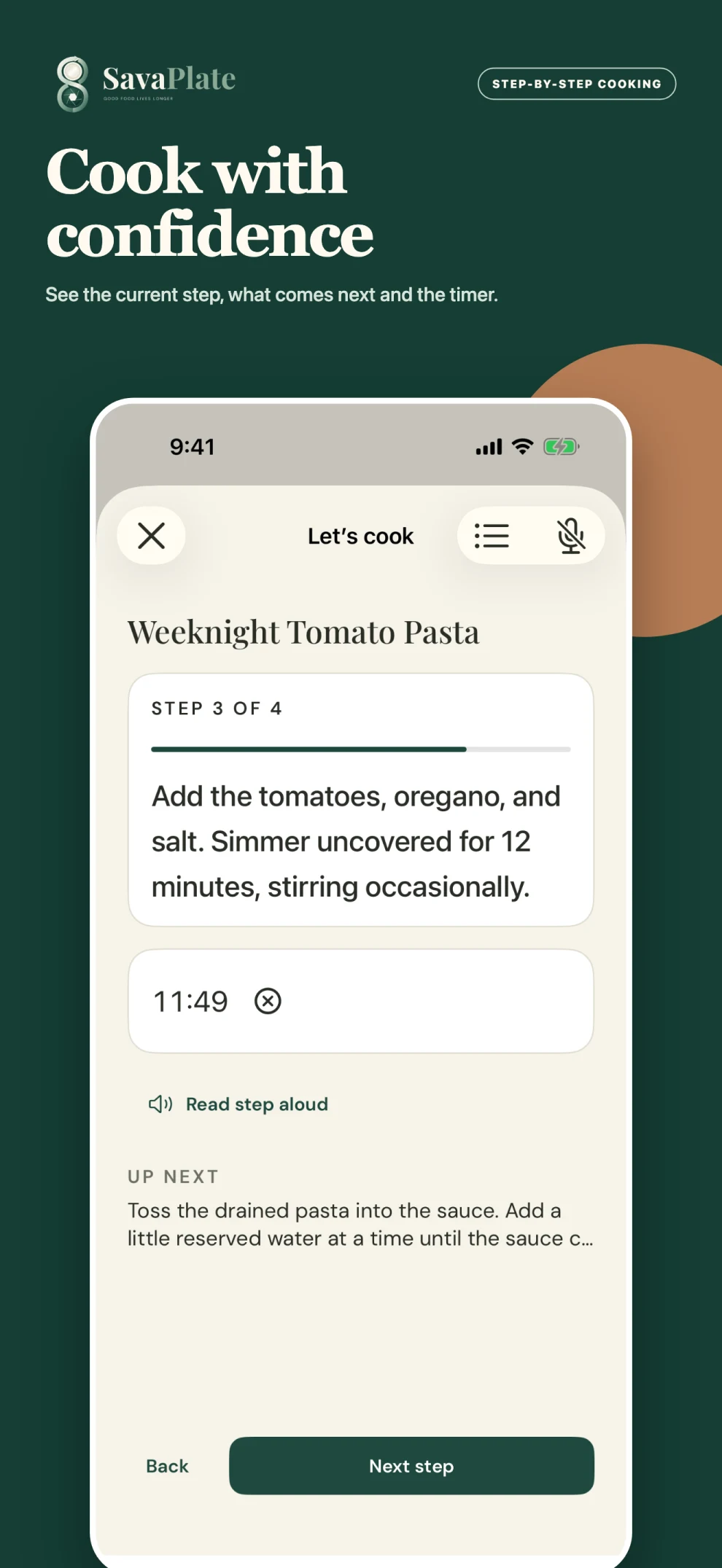
SavaPlate cooking mode turns a saved recipe into focused, step-by-step directions. Follow the current step, see what comes next, and use timers while you cook. iPhone narration uses an installed voice on your device. The iPad experience and Apple Watch companion help keep your recipe and cooking controls within reach.
By the SavaPlate team · Updated September 23, 2026
How it works
Choose a saved recipe
Open a recipe in your library and review its ingredients and servings. Check that you have what you need before starting.
Start cooking
Open cooking mode to focus on the current instruction. Move through the steps as you cook and use the available timer controls.
Listen or glance at the next step
Use iPhone narration when it is helpful. The Apple Watch companion provides a compact view of a cooking step and timer alongside your iPhone.
What to know before you start
Does narration need an online voice service?
iPhone narration uses an installed voice on your device. Other online recipe tools, including imports, adaptations, and searches, need connectivity and use processing allowances.
Can I keep my saved recipes when my processing allowance runs out?
Yes. Your saved cookbook stays available when online processing pauses. Processing allowances apply to online tools rather than access to recipes you have already saved.
Is SavaPlate available on Android?
SavaPlate is launching on the Apple App Store first. Android is planned for a later release, with no announced date. The previews on this website show the Apple experience.